An Author refers to the person responsible for creating a piece of content like an article, a blog post or any other form of written material. Normally matches the Author that created the content on the CMS.
A Byline is the public text that acknowledges and identifies the author(s) responsible for creating an article. Normally matches the public byline as informed on the structure data.
An Author may have multiple bylines for different reasons:
- Pseudonyms or pen names: Some authors may write under a pseudonym or pen name, either for personal reasons or to maintain separation between different areas of their work. In such cases, they could have multiple bylines associated with their different pen names.
- Variations in name representation: An author’s name may be represented differently across various publications or platforms
As an example, the Author John Smith might publish articles using these different bylines:
- John Smith
- JS
- J.S.
- John S.
- J. Smith
- Generic Editorial byline
Marfeel exposes both the real Author of an article along with the used Byline as dimensions on Explore, Optimize and Compass views.
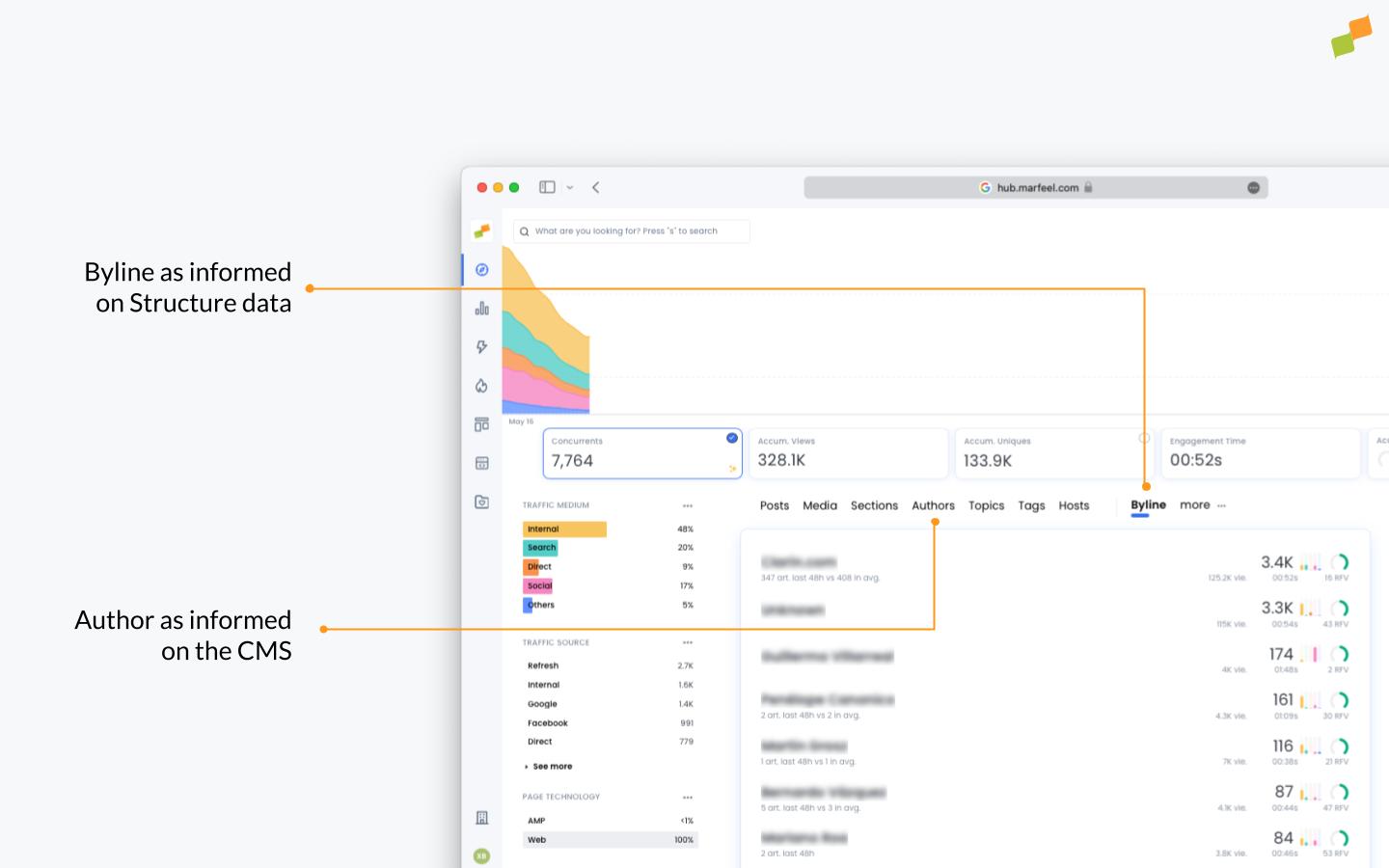
How does Marfeel detect Bylines?
- JSON+LD (For more details visit author - Schema.org Property)
<script type="application/ld+json">
{
  "@context": "https://schema.org",
  "@type": "NewsArticle",
  "author": [
    {
      "@type":"Person",
      "name":"Author One"
    },
    {
      "@type":"Person",
      "name":"Author Two"
    }
  ]
}
</script>
<script type="application/ld+json"> { "author": "Author One" } </script> - Meta tag “article:author” (supports both property and name attributes)
<meta property="article:author" content="Author One"> - Meta tag name=“author”
<meta name="author" content="Author One"> - Property rel=“author”. This only applies on editorials with a publication date.
<a href="https://domain.com/author-one/" rel="author">Author One</a>
How does Marfeel detect Authors?
To track the Author that created an article you can use the mrf:authors meta tag. By default, if mrf:authors is not explicitly informed, the field is automatically populated with the Byline value.
<meta property="mrf:authors" content="Author 1" />
You can list as many authors as necessary with semicolons:
<meta property="mrf:authors" content="Author 1;Author 2;Author 3" />
From the Marfeel’s User Profile page, users can associate an Author to a Marfeel user account, which allows the platform to track content contributions and manage permissions accordingly.
You can also use the name attribute as an alternative to the property attribute.
Encrypting Authors
For strategic situations where you don’t want to openly expose author names but still want to track them on Marfeel, you can use encrypted authors. When authors are declared as encrypted, the real values will only be visible by Marfeel.
Learn more about encrypting authors, sections, and tags