Multimedia content such as videos and podcasts is an essential part of any modern publisher’s content strategy. As such, publishers need tools to be able to effectively measure the performance of said content and understand what pieces are resonating with users, driving engagement, and contributing to monetization goals, among others.
With Marfeel’s Multimedia analytics add-on, you can accurately measure the performance of your multimedia content and make impactful decisions on your multimedia strategy, such as determining what stories that don’t have multimedia content deserve to have a video made specifically for them to boost their engagement.
Using Multimedia
If an article contains a video or a podcast, you can recognize it from the play button or the podcast icon in the Compass dashboard.
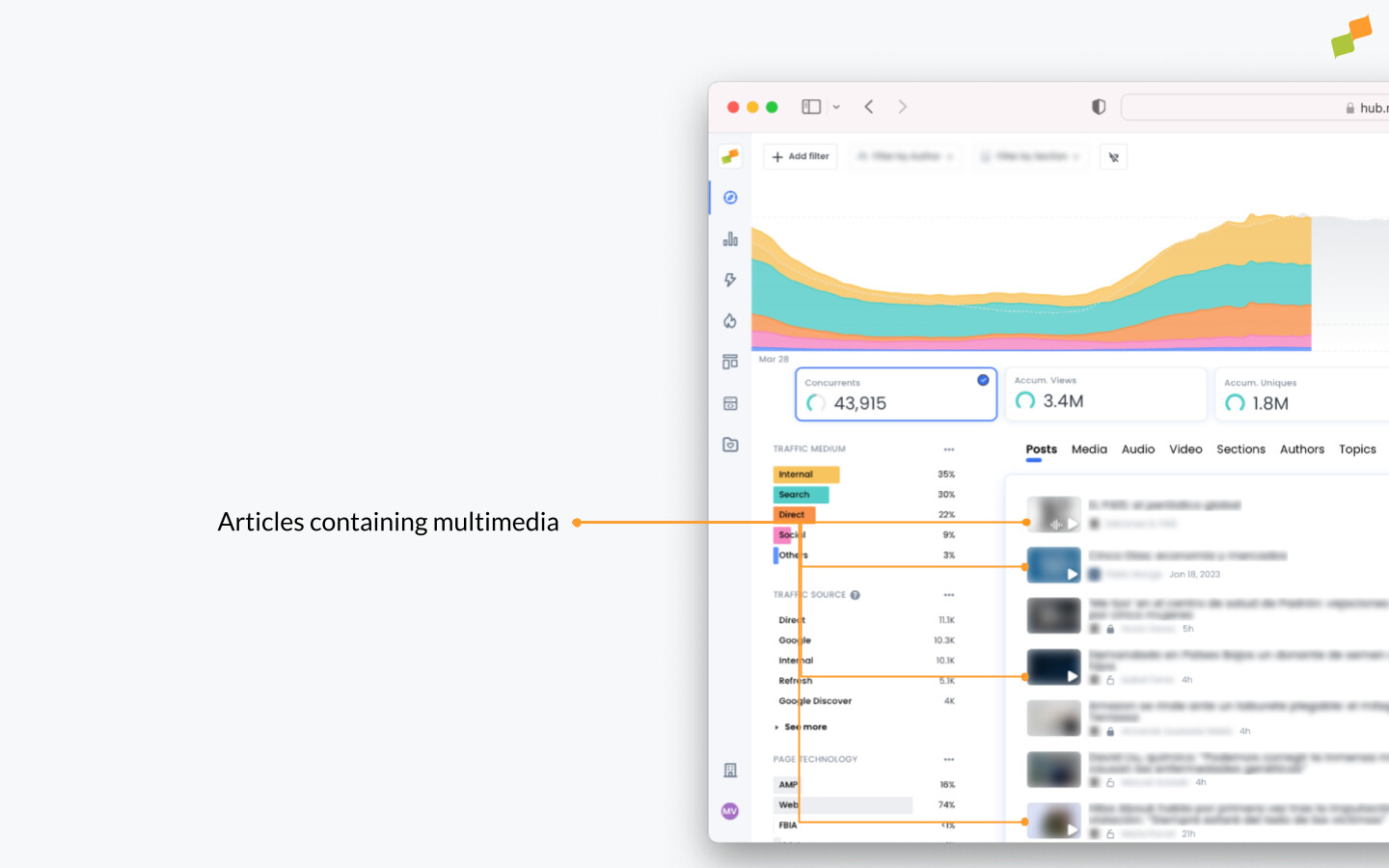
When you click on the Media tab, all listed media elements become visible. Clicking on a video or podcast, allows you to go deeper into the metrics and track the whole funnel. For example: analyze how often ads start playing in a video for monetization purposes, or how many users have completed watching the video to check if the content is relevant enough. This can be done in real-time, but also by going back in time. You can adopt the following flow in order to analyze your media content:
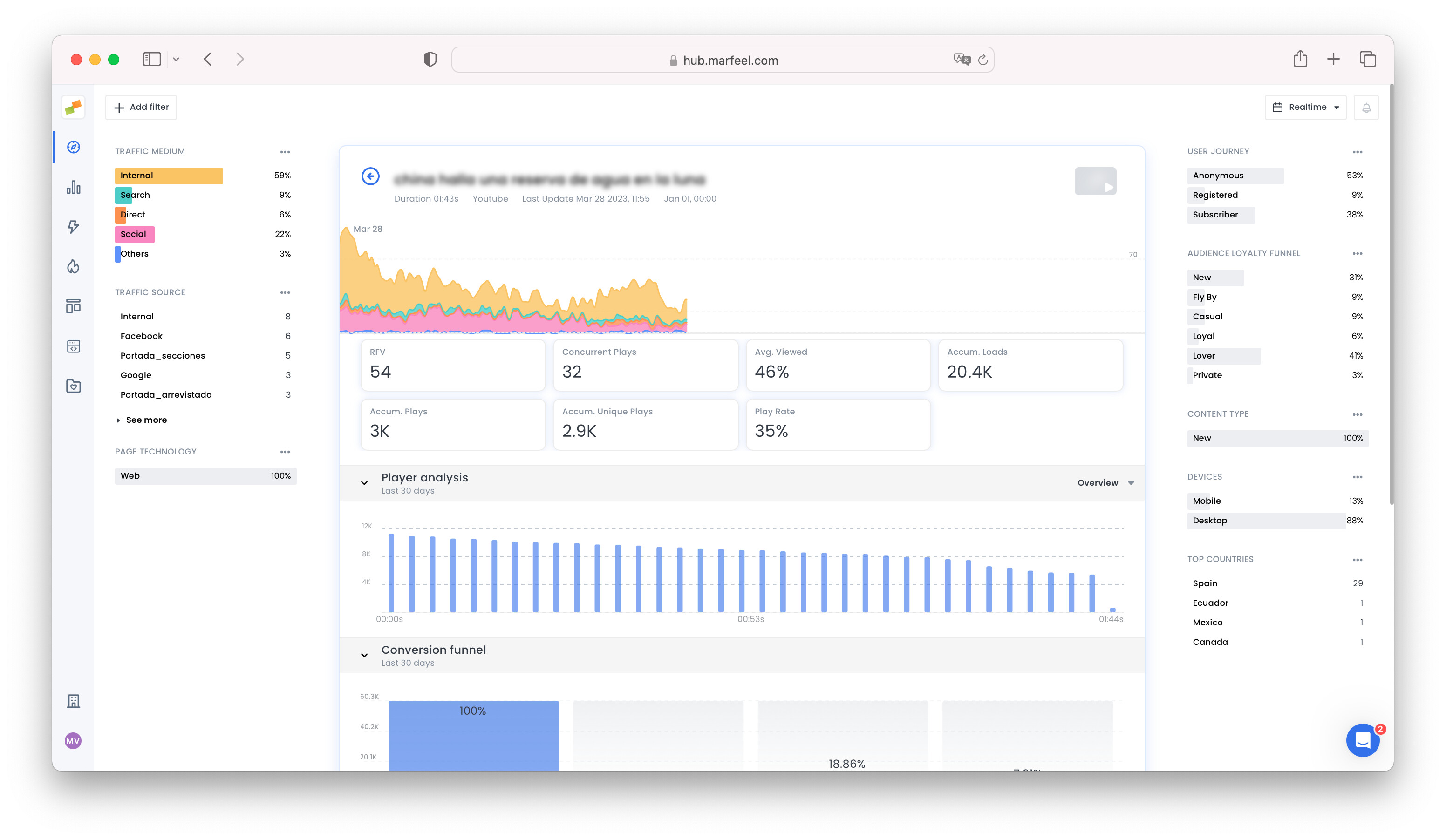
- How many users are currently watching the video? You can immediately see this when opening the media item on the graph that shows real-time concurrents. This metric helps you understand how many users are digesting your video right now.
- How is my media performing? For a quick overview, you can check the Main KPIs right under the real-time graph to see the accumulated loads versus the accumulated plays for example. This way, you can monitor if users are hitting the play button.
- Measure video engagement: scrolling a bit further down, the
Player analysisshows you at what point users paused the video, or when users dropped out - which makes it measurable when viewers stopped engaging. Select more actions from the dropdown menu by clicking on Overview. - How often is my media played? The tab
Conversion funnelshows how many times the video had been loaded, if users pressed the start button, if the ad started playing, and if they completed watching the full media file. Therefore you can check how much of your video is being actively watched by your users. - Identify optimization opportunities: with
Video insightsyou’re able to see many metrics like unique viewers, how many minutes they viewed, the audience retention but also the average ads played and total ads played - which is interesting for monetization purposes. If users are not getting past the ad, it might be because the ad and video content are incompatible. - Articles where the video appears: the last tab shows you in which articles the video and/or podcast have been reproduced.
- Track live and on-demand data: The main metrics allow you to view accumulated plays and unique plays, but also live plays. The latter can be viewed from the detailed view, but also by clicking on
Concurrent playsin the main Multimedia dashboard, which will show you how many of your users are viewing each piece of multimedia content in real time.
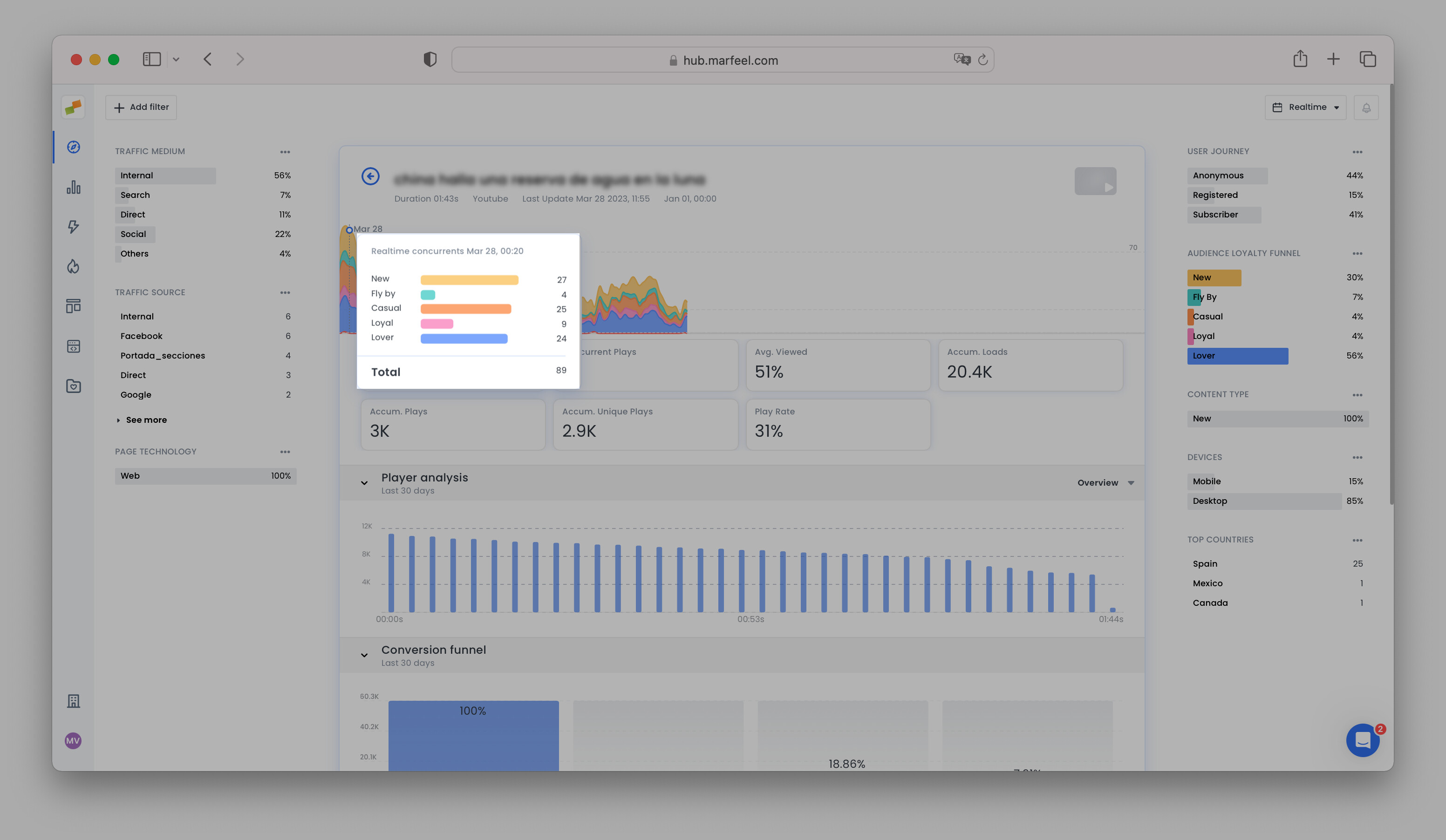
User types
Another thing you can analyze within all multimedia items is if users are coming from the top of the funnel or the bottom of the funnel. Click on the three dots next to Audience Loyalty Funnel → plot to main graph. Split the concurrents on the type of user. In the example below you can see clearly that the video is popular with New users, Casual users, and Lovers, which helps you to make editorial decisions based on these outcomes.
Detailed metrics & ad inventory sizing
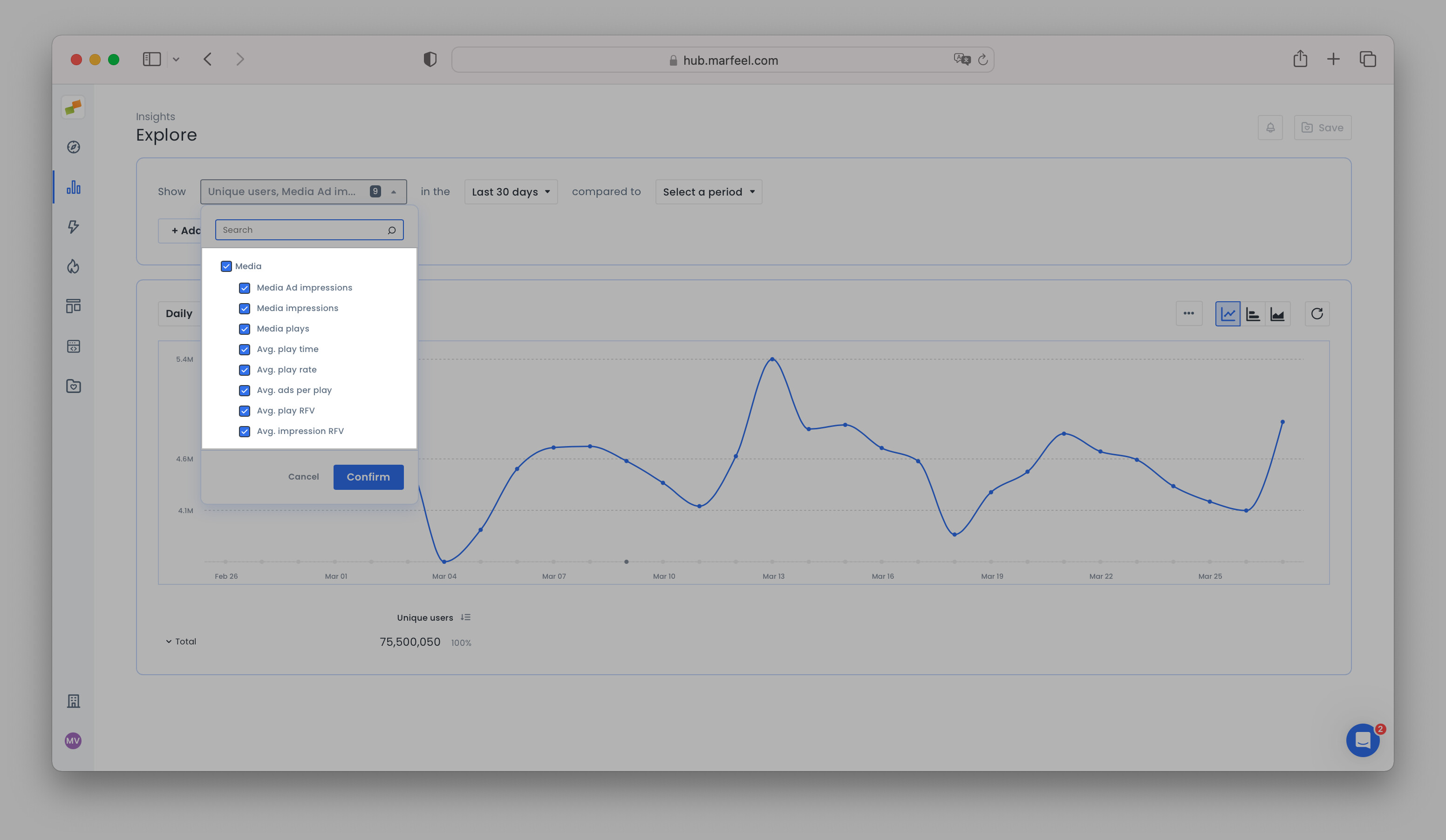
For a more detailed view of your multimedia data, head over to the Explore tab under Insights where you can manually select metrics related to Multimedia, such as media plays, impressions, avg. play time, and ad impressions, among others.
All of this data can be filtered and segmented according to Marfeel’s extensive list of editorial dimensions, allowing you to more accurately measure your inventory for advertising. With this data, you can build more targeted audiences for your advertising partners.
For a detailed breakdown of everything Marfeel Multimedia Analytics can do, please refer to the following video.
The multimedia module can be implemented via a no-code integration, which you can find here.