With Marfeel Layouts, you control exactly how content appears across Flowcards, Inline Experiences, Popups, and Amplify social visuals. No code deployment required.
Layouts combine HTML, CSS, and JavaScript with dynamic data injection. You design the template once. The rendering engine fills it with article data—titles, images, authors, metadata—every time it displays.
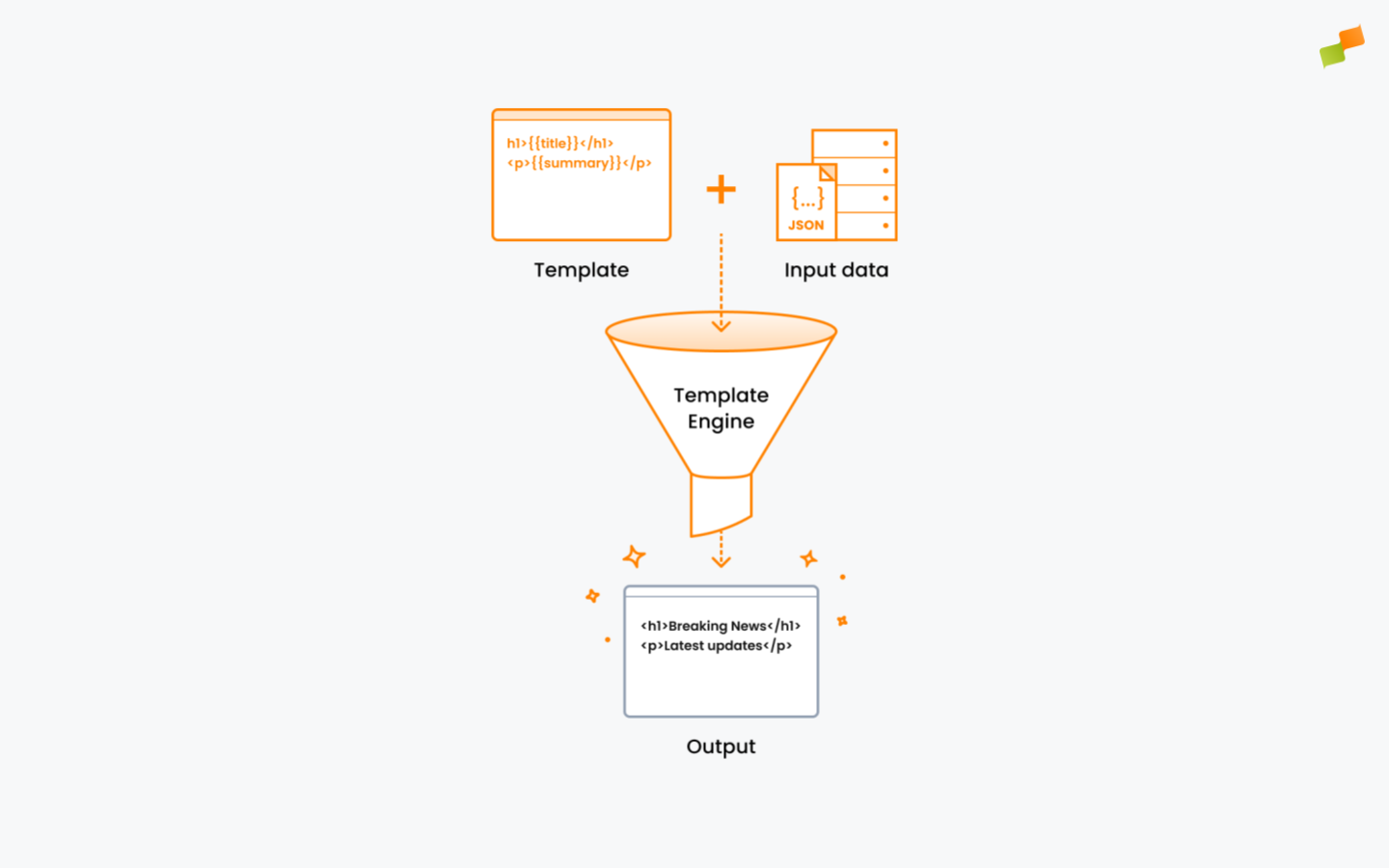
How Layouts Work
A Layout is a template with placeholders. The Trimou rendering engine processes each placeholder and replaces it with actual content.
Example: A template containing {{title}} becomes Breaking News when rendered with article data.
This means:
- One template, infinite articles. Design once, apply everywhere.
- Consistent branding. Every piece of content follows your visual standards.
- Real-time updates. Change the template, and all rendered content updates automatically.
Layouts Capabilities
Currently, Layouts lets you:
- Design custom templates: Build HTML/CSS layouts with full control over structure and styling.
- Insert dynamic content: Use Mustache templating syntax to pull article data into your designs.
- Create social visuals: Generate branded images for Amplify distribution.
- Customize recommendations: Control how recommended articles appear to readers.
Going Deeper
To learn more about Marfeel Layouts:
- Layout Editor: The visual interface for building and testing layouts
- Templating Syntax: Mustache tags, conditionals, and data fields
- Amplify Layouts: Creating social media visuals
- Recommender Layouts: Customizing article recommendations