No Image on Link Previews
When sharing a link on Facebook, X, or LinkedIn, sometimes the preview image or metadata (title, description) doesn’t appear.
Why this happens
- The social network, not Amplify, fetches the metadata directly from your site.
- Common causes:
- Missing or invalid Open Graph tags (
og:image,og:title,og:description). - Server blocking the crawler (e.g.
403 Forbidden). - Cached/old data.
- For LinkedIn specifically:
robots.txtconfiguration blocking theLinkedInBotcrawler.
- Missing or invalid Open Graph tags (
How to check
- Test by posting the exact URL Amplify would use, including
utmparameters, to emulate the real case. - Facebook → use the Sharing Debugger. Look for warnings/errors and use Scrape Again.
- X (Twitter) → use the Card Validator to confirm the tags.
- LinkedIn → use the Post Inspector. If you see “We can’t access this content. It may be blocked by robots.txt”, the crawler is being blocked.
How to fix LinkedIn crawler issues
If the LinkedIn Post Inspector shows that the page cannot be accessed, check your robots.txt. You need to explicitly allow the LinkedIn crawler:
# LinkedIn (links shared in posts, messages)
User-agent: LinkedInBot
Allow: /
After updating the configuration:
- Go back to Post Inspector and use “Scrape again” to refresh the preview.
- Ensure your
og:imagetag points to a valid, accessible image. - Check that the image meets LinkedIn’s requirements: minimum 1200 × 627 px and under 5 MB.
Quick workaround
Switch Amplify to Photo mode instead of Link Preview. Amplify will host the image directly, ensuring it shows while you resolve crawler issues.
Missing Comments Due to Facebook Anti-Spam
To avoid Facebook flagging comments as spam, include dynamic text like the article’s og:title, og:description, or Marfeel Copilot prompts
These dynamic elements make each comment unique and more engaging, helping you stay clear of Facebook’s anti-spam detection
Additional Recommendations
If you suspect your account is flagged:
- Stop posting comments for a few days to reset Facebook’s spam detection
- Reduce your posting frequency once you resume activity
- Review your recent posts for repetitive content or wording
- Avoid catchy, repeatable titles like
the 10 most XXthat Facebook may recognize as clickbait patterns - Vary the structure and phrasing across different articles, even when using similar templates
WhatsApp Integration Disconnection
Sometimes the WhatsApp integration may disconnect unexpectedly. This behavior is usually triggered by changes on the connected device,
Known cases include:
- Device unlinked explicitly from the mobile phone
- Not connecting the phone for 14 consecutive days
- Exceeding the maximum of 4 linked devices allowed per account. Our integration is identified as Firefox on Ubuntu:
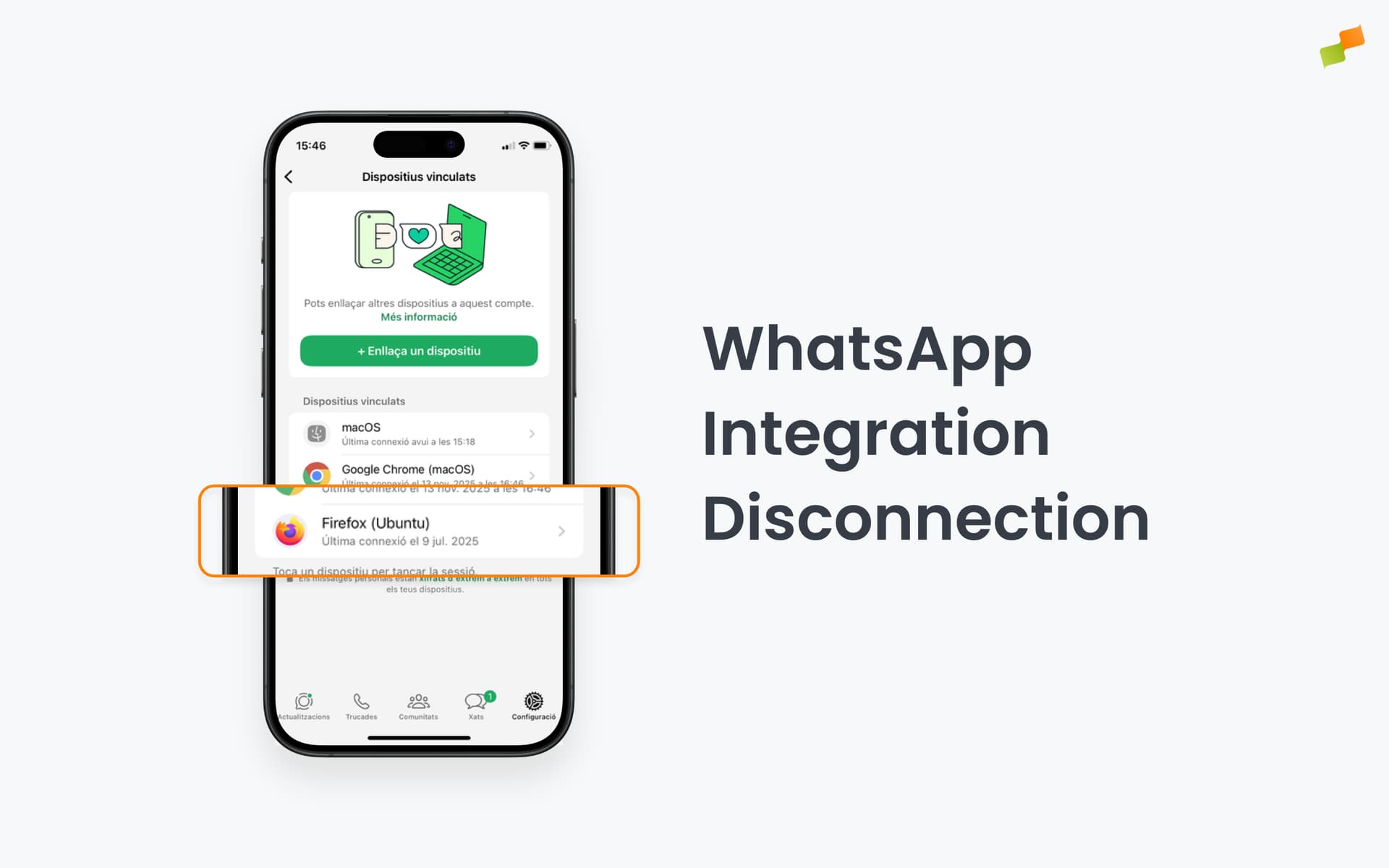
The exact criteria used by WhatsApp for disconnection are not fully transparent, so additional cases may occur. If the integration is disconnected, you will need to reconnect it to resume functionality
Exceeded Meta’s rate limit
When you encounter error 613 (“Calls to this api have exceeded the rate limit”), this indicates you’ve hit Meta’s API rate limits. You’ll need to reduce the frequency of your API requests. See Meta’s guidance below:
'Indicates that we have noticed inconsistent behavior in the API request volume of your app. If you have made any recent changes that affect the number of API requests, you may be encountering this error.'
Instagram’s “Suspicious Activity Detected” Notifications
More information here