Your distribution no longer depends on a single connected account.
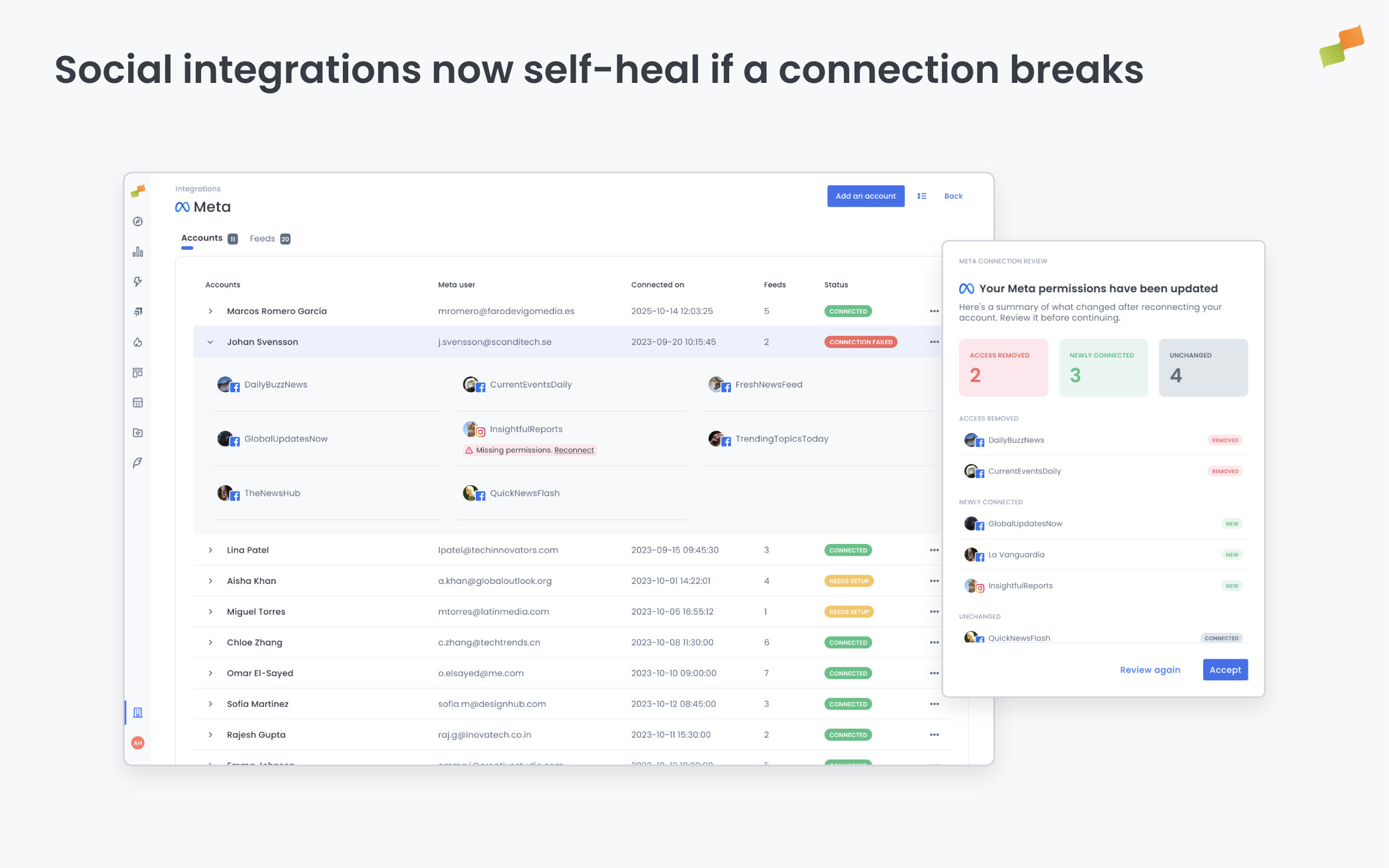
Amplify feeds can now be backed by multiple connected users. When one connection (token) fails, the feed automatically routes through another available one. No gap. No manual fix. No missed posts.
Previously, each feed ran on a single user connection. If that connection expired or broke, the feed stopped. The new model changes that: the more users connected to an integration, the more resilient it becomes. Amplify selects whichever connection (token) is active, and if one starts failing, it flags it internally and routes around it until it recovers, without interrupting your distribution.
Your best practice from here: connect as many team members as possible to each social integration. More connected accounts backing a feed means more protection when a connection eventually breaks.
To make this easier to manage, we’ve updated the social integrations view. A table-based layout with two tabs, Accounts and Feeds, gives you a full picture of what’s connected, who connected it, and the status of every feed. Status badges make it easy to spot anything that needs attention before it becomes a problem.
When reconnecting a Meta account, you now see exactly what changed before confirming: which pages gained access, which stayed the same, and which lost it.
Here’s how you can get started:
- Go to Organization Settings and open any social integration
- Connect additional users to back each feed with more than one account connection (token)
- Check the Accounts tab to see which users are tied to each integration
- Use the Feeds tab to monitor connection health across all your channels
More connections. More resilience. Uninterrupted distribution.