You can now schedule the same content to publish on multiple dates without creating separate posts for each date. Simply add multiple dates to your schedule, and the system will automatically publish your content on each date you select. This saves time when planning campaigns or recurring content across multiple days.
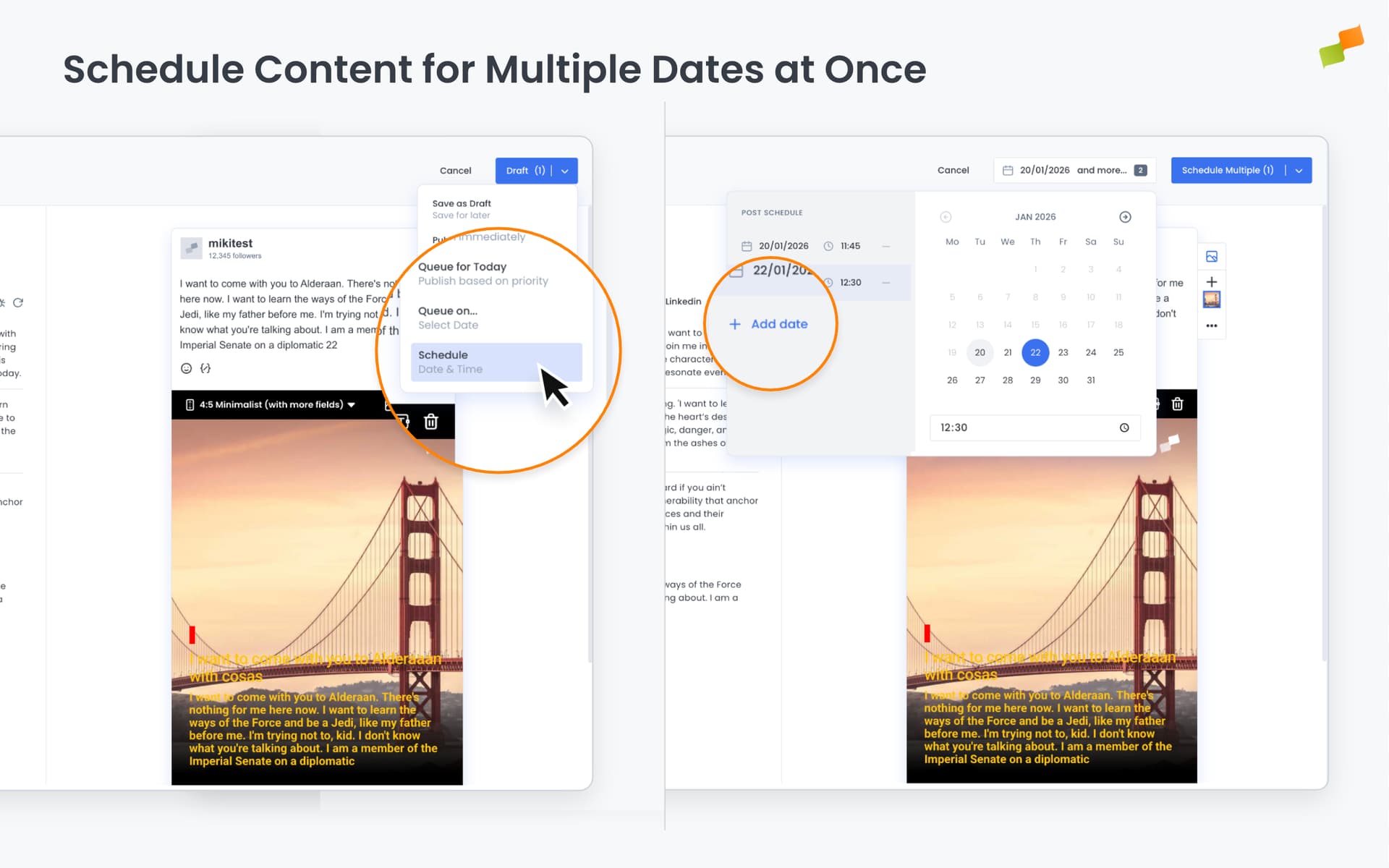
Schedule Content Across Multiple Dates in One Step
Planning campaigns or recurring content just got faster. Marfeel Amplify now lets you schedule the same post to publish on multiple dates without creating separate entries for each one.
When scheduling content, you can now add as many dates as you need to a single post. Pick your dates, set individual times if needed, and publish. The system automatically sorts your schedule chronologically and prevents duplicate dates, so your content goes out exactly when intended.
What You Can Do
- Add multiple scheduled dates to a single post in one workflow
- Edit or remove dates individually as your campaign evolves
- See your full schedule at a glance with a visual list of all publish dates
Real-World Use Cases
- Campaign management: Schedule promotional content to run every weekend for a month in one go
- Recurring content: Set up weekly newsletters or regular updates without repetitive data entry
- Multi-market launches: Coordinate content releases across different time zones with precise scheduling
- Event coverage: Plan pre-event, live, and post-event content together to maintain consistent messaging
This feature works seamlessly with both immediate publishing and queue scheduling. For teams managing content calendars across weeks or months, it eliminates repetitive scheduling tasks and reduces the chance of missing planned publication dates.