The Layout Editor now features a redesigned preview interface that makes it easier to visualize your layouts across different formats.
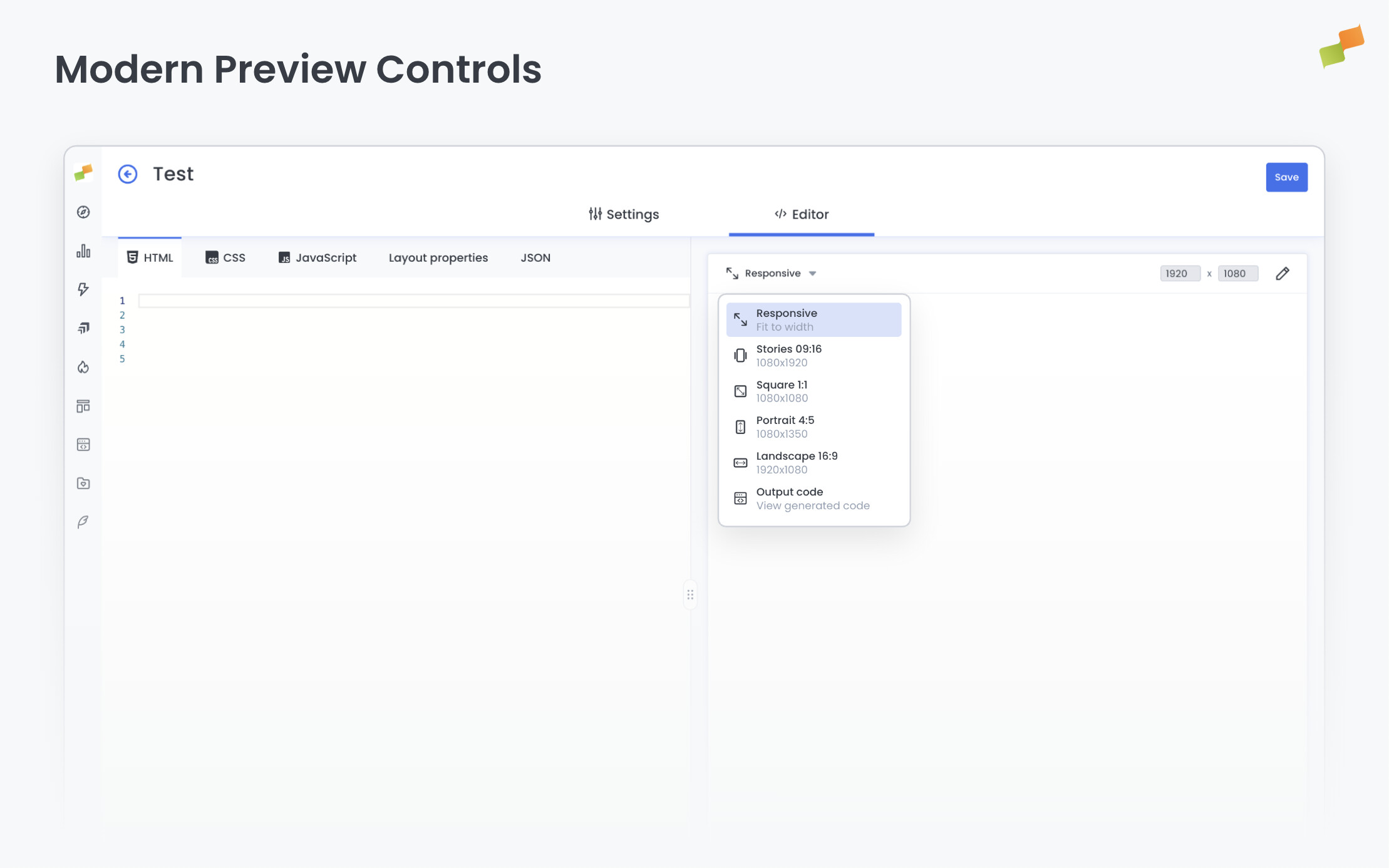
The most visible change is the new aspect ratio selector. Instead of icon-only buttons, a dropdown menu now shows each option with its label and exact dimensions: Stories 09:16 (1080x1920), Square 1:1 (1080x1080), Portrait 4:5 (1080x1350), Landscape 16:9 (1920x1080), and Responsive (fit to width). You see exactly what you’re choosing before you choose it.
The preview area itself has been refined with a cleaner, card-based design that creates better visual separation between controls and content.
So, what changes for you?
- Pick the right format instantly. Labels and dimensions are visible in the selector, no guessing required.
- Focus on your layout. The preview area is cleaner, so your content stands out.
- Review generated HTML faster. The code view now uses the full available space.
These improvements respond directly to feedback about preview clarity and control discoverability. All existing functionality is preserved.
Clearer previews, faster decisions.