Saved monitoring reports can now be edited and updated directly. When you need to adjust date ranges or refine filters on a saved report, simply click the new Edit button and make your changes. Your updates save back to the original report, keeping your monitoring organized and current.
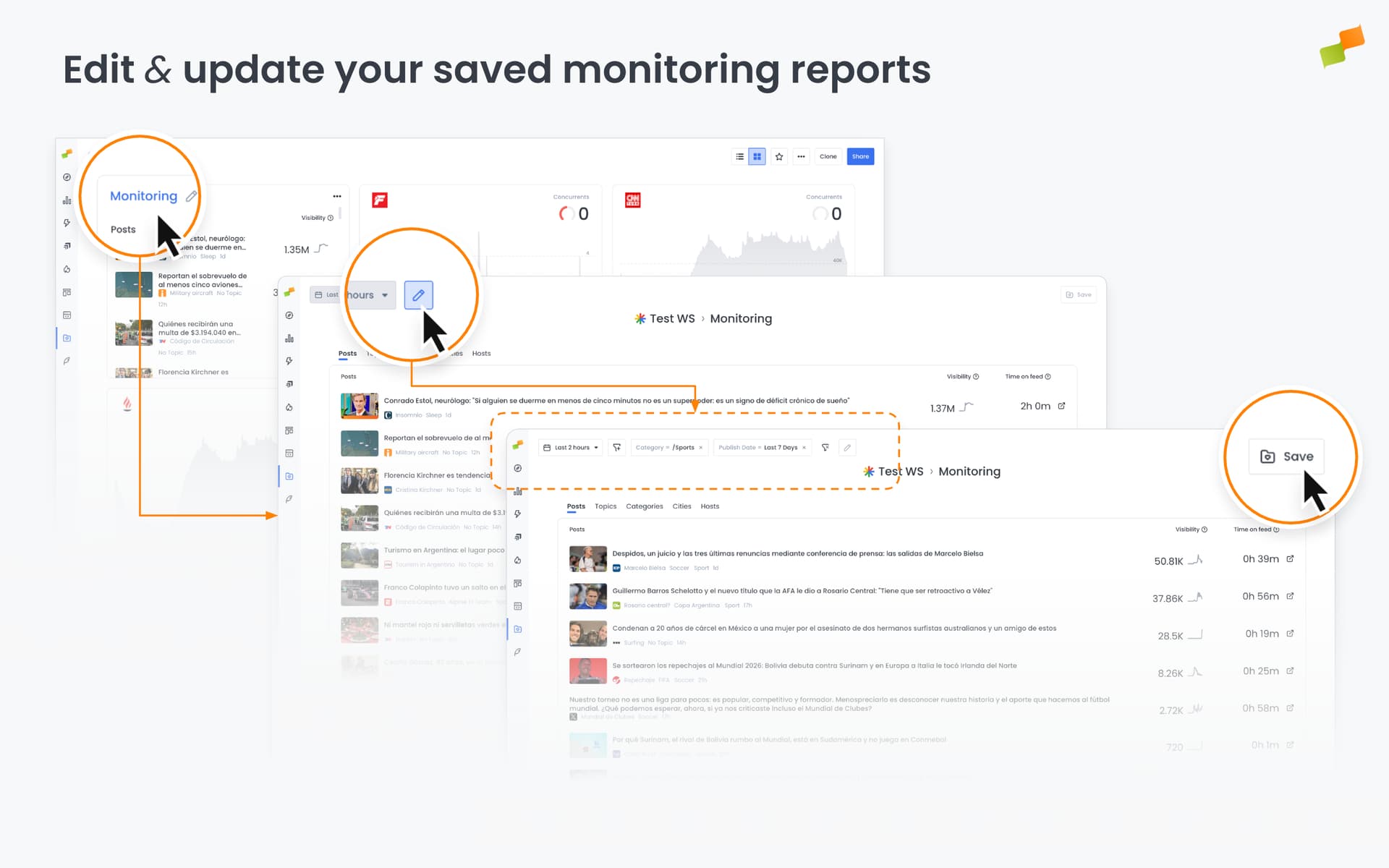
This applies to both Social Monitoring and Discover Monitoring saved reports. Users with appropriate permissions can modify dates and filters, then save those changes without creating duplicate reports or starting from scratch.
What You Can Do
- Open any saved monitoring report from your workspace
- Click the Edit button to enable date and filter modifications
- Adjust your date range or update filters as needed
- Save your changes to update the existing report
Real-World Use Cases
- Adjust date ranges on recurring reports as time passes
- Refine filters based on evolving content strategies
- Update reports shared with team members without breaking links
- Maintain a clean workspace by updating reports instead of duplicating them
This feature streamlines report management by allowing modifications to saved queries, making it easier to maintain accurate monitoring views as your needs evolve.